As a dedicated stylist navigating the vibrant world of Miraland, I've found that the journey is infinitely richer when shared. Since the game's launch, the social features have evolved, and in 2026, connecting with fellow fashionistas is more seamless and rewarding than ever. The heart of this connection lies within your Pear-Pal device, a tool that becomes your lifeline to the global styling community. Adding friends isn't just about filling a list; it's about building a network for support, inspiration, and unlocking potential collaborative benefits that continue to be added by the developers. Let me walk you through the beautifully simple process of expanding your stylish circle.
First things first, you need to unlock the capability. This isn't something available from the very start. Your social journey begins after a pivotal story moment: your first meeting with Dada at the Stylist's Guild in the enchanting city of Florawish. Completing this initiation grants you access to the 'Friends' application on your Pear-Pal. Think of it as your digital Rolodex for Miraland's most fashionable inhabitants.
Once the app is unlocked, the process is intuitive. Open the Friends app on your Pear-Pal. You'll immediately notice a prominent option in the bottom right corner of the screen, beckoning you to 'Add Friends'. Tapping this is your first step toward connection. Now, here's the key mechanic that ensures security and simplicity: the Friend Code system. Forget confusing Player IDs; this is a dedicated, one-time-use code for forging new bonds.
After selecting 'Add Friends', your attention should shift to a new button that appears, typically labeled 'Get Friend Code'. Activating this generates a unique alphanumeric code, complete with a visual timer. ⏳ This timer is crucial! The code is ephemeral, designed for immediate sharing. Once the timer expires, the code becomes invalid, and you must generate a fresh one. This system prevents code harvesting and keeps the adding process personal and intentional.
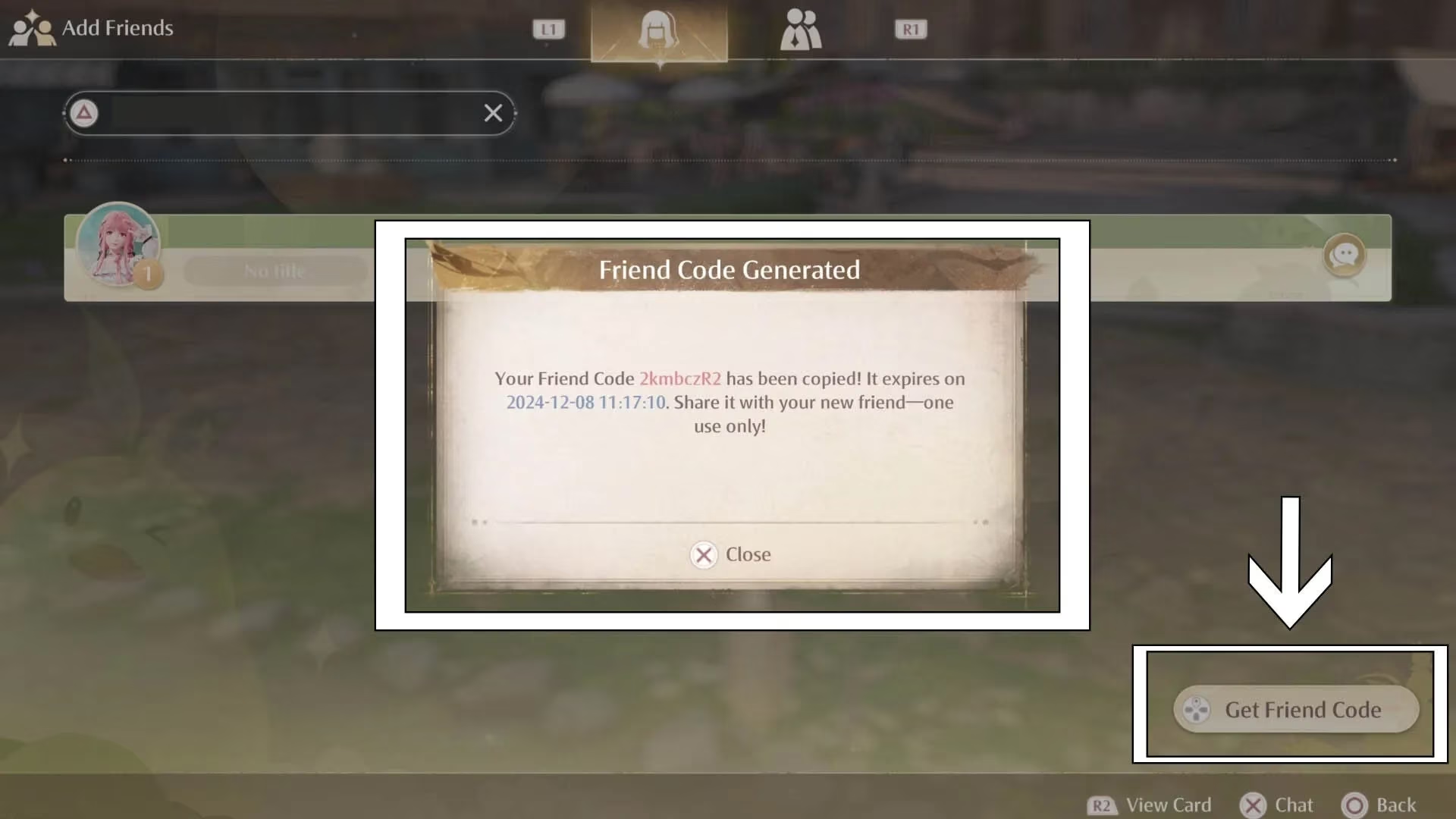
So, you have your sparkling new code. What now? Share it through your preferred external method—be it a messaging app, social media, or good old-fashioned word-of-mouth if you're playing side-by-side with someone. The beauty is its flexibility. On the flip side, if a friend has shared their code with you, the process is just as straightforward.
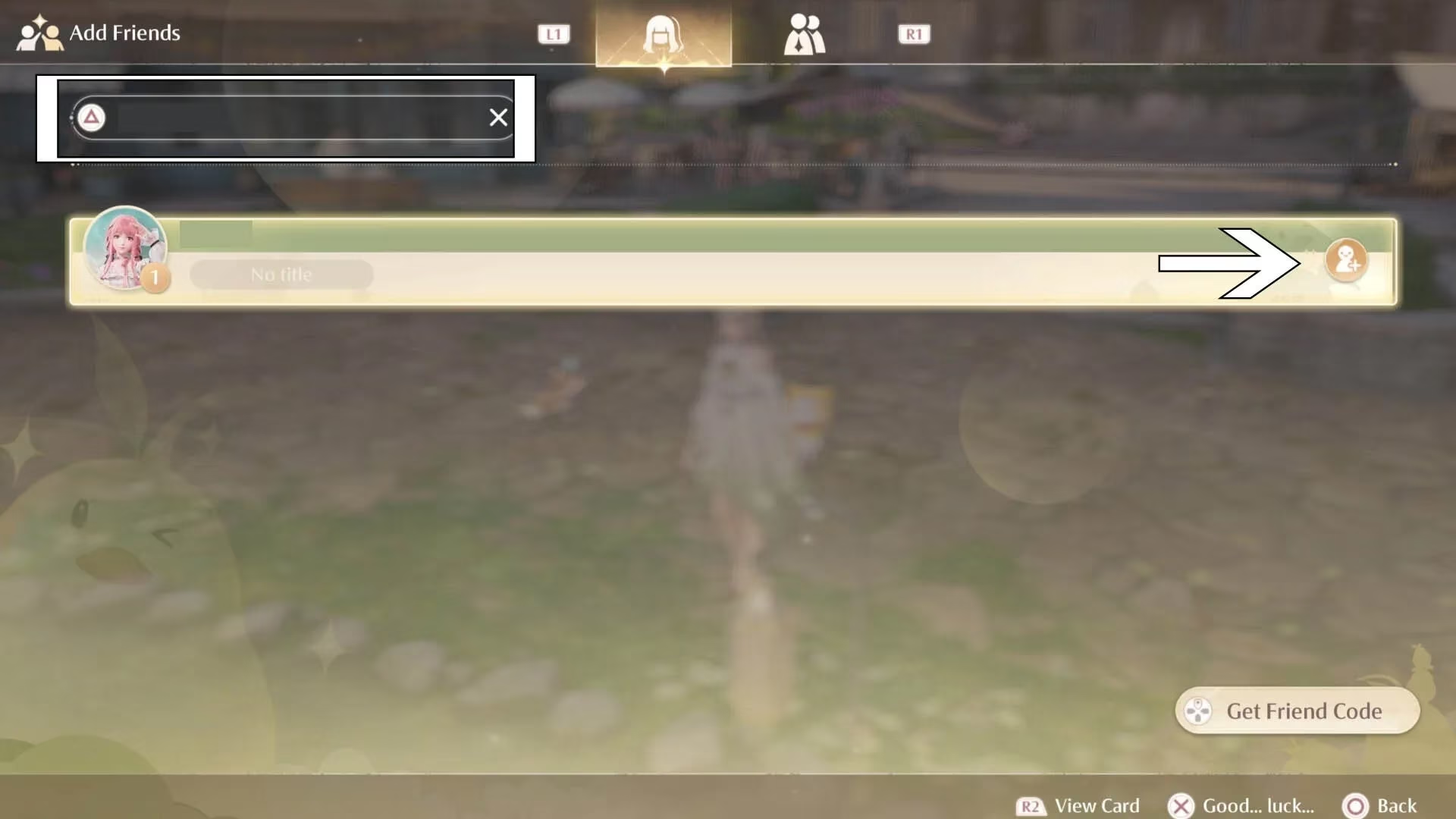
Return to the 'Add Friends' screen within the Pear-Pal app. Look for the search bar, usually situated in the upper left corner. Here, you can input the code your friend provided. Accuracy is key! Once you enter the valid code and initiate the search, your friend's avatar and stylist name should pop up in the results. A simple tap on the 'Add' icon—a charming little silhouette with a plus sign—sends your friend request into the digital ether.
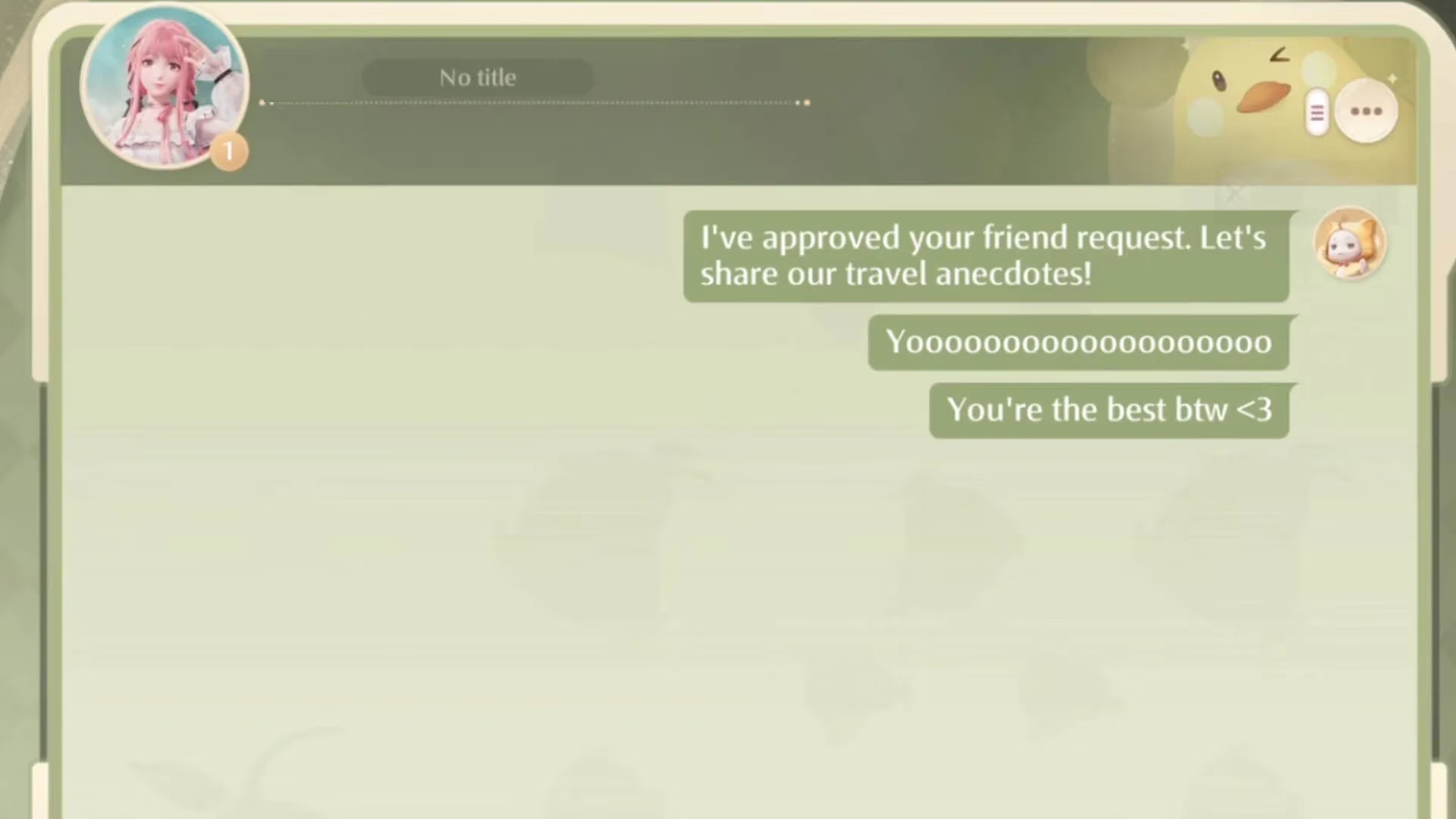
And just like that, you're connected! The real magic begins after the confirmation. Your new friend now resides in your Friends list, but the Pear-Pal app offers so much more than a static directory. You can open a direct message thread with them instantly. This feature has become indispensable in my adventures. Whether I'm stuck on a particularly tricky styling challenge in the Cloud Empire, want to show off a rare outfit piece I just found in the Neon Night District, or simply wish to send a quick "Good luck!" before a major competition, the messaging system is my go-to.
It transforms a solitary styling quest into a shared, social experience. You're no longer just playing alongside thousands of others; you're communicating, strategizing, and celebrating with your personally curated fashion guild. The developers have hinted at deeper social integrations for the future, but even now, the foundation is strong and incredibly user-friendly.
To summarize the entire process into a quick-reference guide:
-
Unlock: Progress the story until you meet Dada at the Florawish Stylist's Guild.
-
Access: Open the 'Friends' app on your Pear-Pal.
-
Generate: Tap 'Add Friends', then 'Get Friend Code' to create a time-sensitive code to share.
-
Connect: Enter a friend's code in the search bar or have them enter yours.
-
Socialize: Use the in-app messaging to chat, share tips, and support each other's journeys.
Building your friends list is one of the most rewarding early-game activities. It opens doors to community, makes the vast world of Miraland feel cozier, and sets you up for any future cooperative features. So, don't style alone! Share your code, add fellow visionaries, and weave your own unique social tapestry within the boundless, beautiful universe of Infinity Nikki. The next great styling partnership is just one code away.